Accounting & Reports
Go beyond daily sales and spending.Reconcile bank transactions, review profit and loss, and manage the chart of accounts and general ledger.
QAR 1,000 / year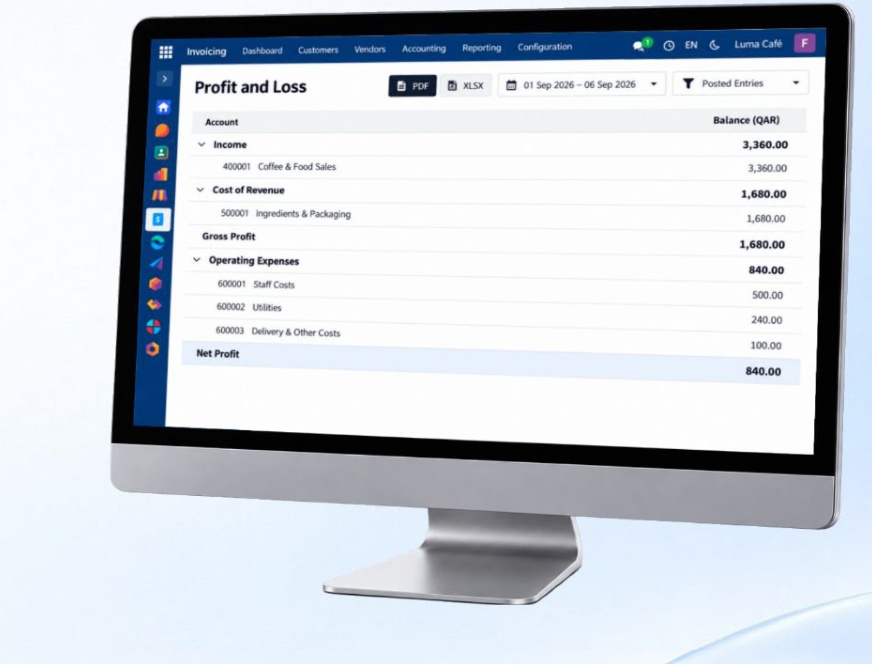
Explain the numbers behind the business
A bank deposit is not always the same as one sale. Match bank transactions with recorded payments, then review income and costs in the profit and loss report for the period.
What each feature helps you do
Chart of accounts
Organise the accounts used to classify income, expenses, assets and liabilities in your financial records.
General ledger
Review the entries posted to each account and follow the detail behind an account balance.
Sales & purchase journals
Keep sales and purchase accounting entries organised for review alongside their source transactions.
Bank reconciliation
Match transactions on the bank statement with recorded payments and investigate items that do not match.
Tax management
Organise tax settings and amounts applicable to your business for clearer accounting records.
Profit & loss and financial reports
Compare income and expenses over a chosen period and review the financial statements behind business performance.
Customer & supplier balances
See amounts customers owe and amounts due to suppliers, with the transactions behind those balances.
Live dashboard
Follow financial indicators from the records in your system and open the supporting detail when you need it.