Appointments
Online booking and a shared appointment calendar.
Manage appointments and staff availability, then complete payment in Systemy POS app. Keep your team’s attendance and payroll in the same platform.
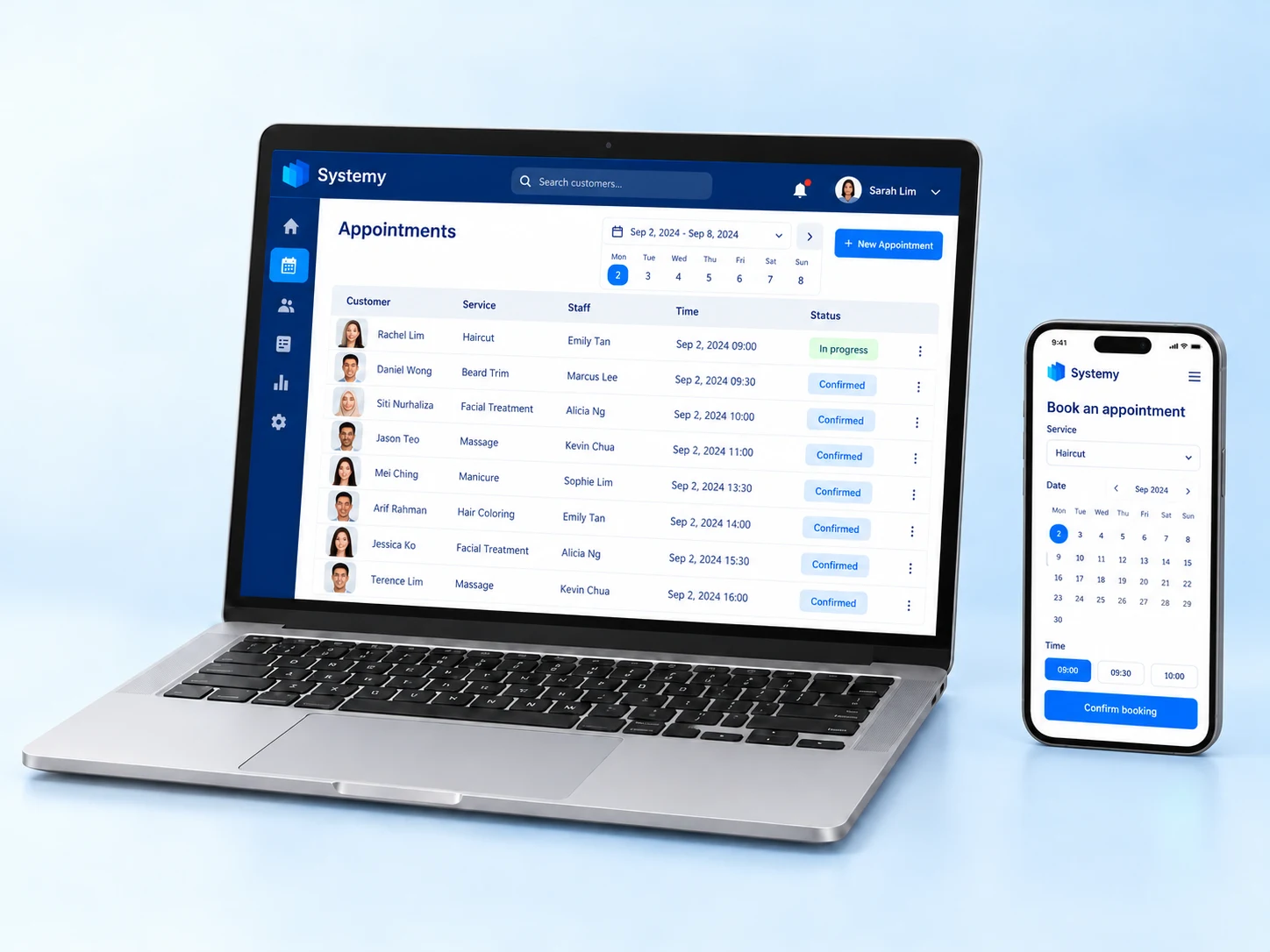
Online booking and a shared appointment calendar.
Assign services to the available specialist.
Track shifts, leave and payroll records.
This service-business example follows a customer from booking a treatment to meeting the specialist and paying after the visit.
Let customers choose a service and available appointment time online. The team reviews the calendar and assigns the member of staff responsible for the visit.
Explore the related features →Use staff schedules when arranging appointments. HR & Payroll keeps employee records, shifts, attendance and salary information organised alongside the service operation.
Explore the related features →Use POS to record the service sale and collect payment. Review the appointment and customer context when arranging the next visit. Add WhatsApp for messages through the configured WhatsApp workflow.
Explore the related features →Bookings includes automatic reminders. Sending through WhatsApp uses the separate WhatsApp Automation subscription; applicable Meta message charges and any setup service are separate.
Yes. The salon and spa is an example. We can demonstrate bookings, staff organisation and payment using the services your business actually provides.
At Serene Salon & Spa, the team can follow each booking from the chosen service to payment.
The customer selects a salon or spa service and an appointment. Your team checks availability.
Allocate the service to the right member of staff. Review appointments and send automatic reminders.
Record payment in POS. Review sales while HR keeps attendance and payroll organised.
Standard prices: 3 × QAR 1,000 a year, with no bundle discount.
At Serene Salon & Spa, customers book massages, facials and salon services. Assign specialists and follow each visit from booking to payment.
QAR 1,000 / yearRead the full feature guide →Take orders, collect payments and issue receipts at 2 included POS branches, with basic quantity updates and branch sales reports. Inventory is optional. Systemy POS works on supported phones, tablets and computers.
QAR 1,000 / yearEarned points, stamps and purchase rewards require a separate Loyalty Programs subscription. Discounts, promo codes, gift cards and payment-funded or refund-funded wallet balances are included with your sales app. Optional handheld rental: QAR 1,000/year. SoftPOS needs compatible Android hardware and provider activation.
Read the full feature guide →Organise employee profiles, contracts and your company chart. Store documents with expiry reminders, track attendance and leave, and prepare salaries including overtime and bonuses.
QAR 1,000 / yearRead the full feature guide →Email Marketing is included with Website, POS or Invoicing at no extra charge. Connected WhatsApp order messages require WhatsApp Automation; points, stamps and purchase rewards require Loyalty Programs.
Track supplies, supplier orders and operating expenses.
QAR 1,000 / yearSend customer updates through WhatsApp.
QAR 1,000 / yearOptional AI: QAR 3,000 / year with an active app. Invoice scanning requires Purchases & Expenses.
Choose and pay for your business apps in Systemy app. Hosting and automatic backups are included. Hardware, setup work beyond included guided assistance, custom design and applicable third-party fees are separate.
10 customer users are included per business, shared across all subscribed apps and locations. Each additional user costs QAR 200 per year.
The Point of Sale app includes 2 POS branches. Each additional POS branch costs QAR 1,000 per year. Several registers at one branch count as one branch. Inventory is optional, regardless of branch count. Customers without POS do not incur this branch charge.
Each business app includes 30 minutes of booked training and technical support per month, capped at 2 hours per business. Configuration help and how-to questions use this allowance; Systemy defect fixes do not. No carry-over. Additional time: QAR 200/hour.
Existing customers retain their current pricing and allowances until renewal or an agreed change.
See all prices & setup servicesWhatsApp reminders require the separate WhatsApp Automation app. Optional Meta setup is QAR 2,000 once; applicable Meta and payment-provider charges are separate.
Download Systemy app, register, choose your apps and complete your payment in the app.
Install Systemy app on your phone.
Register in the app to start your subscription.
Select the apps your business needs inside the app.
Pay for your selected subscriptions in the app.
For additional users or POS branches, contact us to arrange the additions. The POS subscription includes 2 branches.