Materials available
Track receipts and quantities by location.
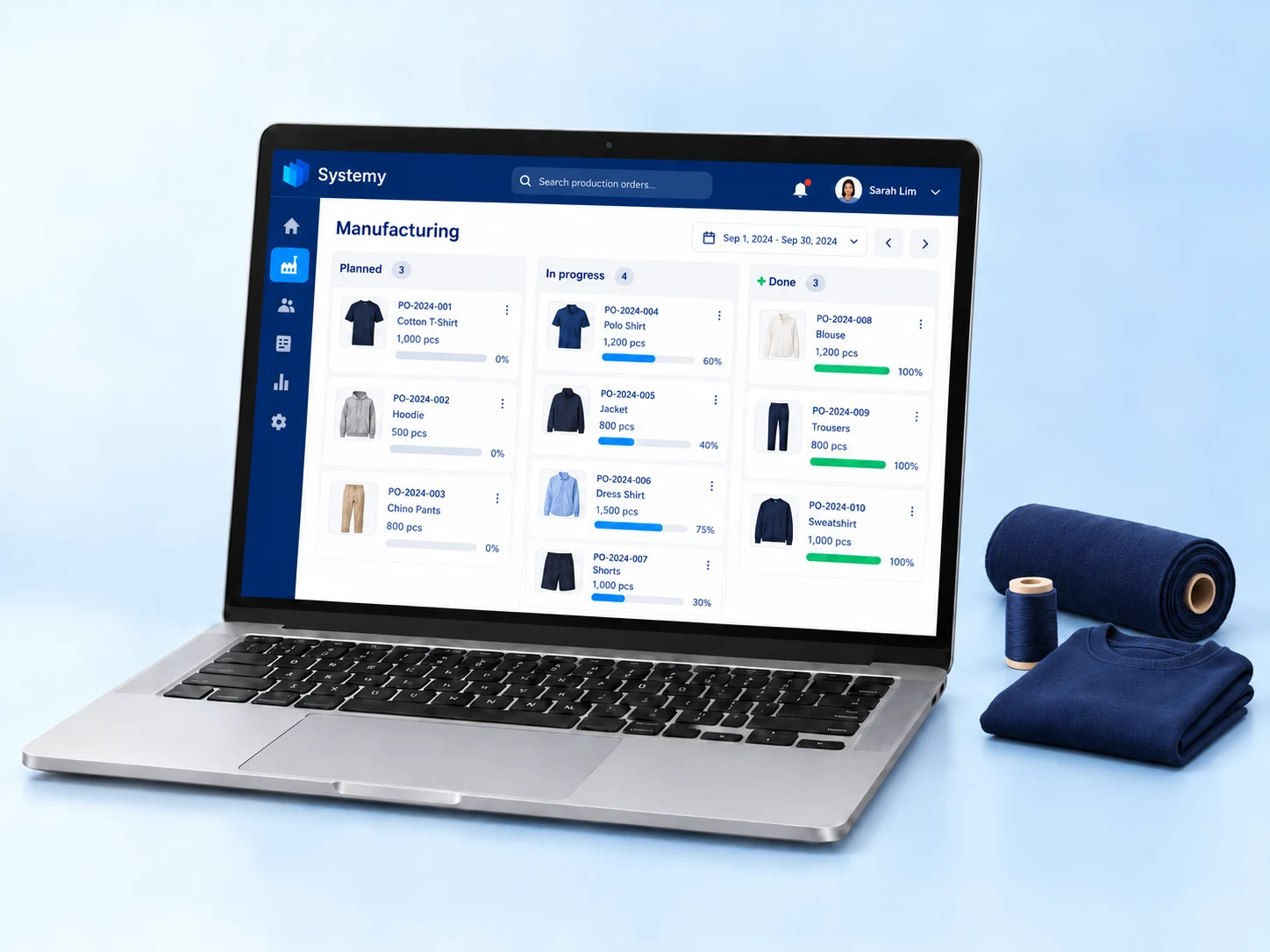
Connect materials and purchasing with production orders, work stages and costs. Plan what you need, follow progress and understand the cost of each finished product.
Track receipts and quantities by location.
Set ingredients or parts for each product.
Review material use and manufacturing costs.
Clothing and tailoring is one example of manufacturing. The workflow also applies to businesses that turn defined materials and work stages into finished products.
Define fabric, thread and accessories in the product’s Bill of Materials (BoM). Recipes and estimated material costs are included with Website, POS and Invoicing. Add Manufacturing to manage cutting, sewing and other production stages.
Explore the related features →Review available materials in Inventory. Use Purchases & Expenses for supplier orders and related costs so production requirements and material availability can be reviewed together.
Explore the related features →Plan manufacturing orders, follow work stages and record material consumption. Review material and operation costs to understand the cost of the finished item.
Explore the related features →Add POS for counter sales, Website for an online store, or Invoicing for quotations and invoices. Choose the sales workflow that matches your business.
No. Manufacturing supports production across industries, from food preparation to clothing. Sales apps include product recipes and supported ingredient deductions without Manufacturing or Inventory. Confirm the workflow you need in your demo.
For production businesses, including food preparation and clothing. Configure materials and work steps around what you make.
Create supplier orders, record purchasing costs and check the materials available in stock.
Use the product’s Bill of Materials to create production orders, assign work centres and operations, and follow progress.
Track material consumption and finished products. Review production costs and manufacturing reports.
Standard prices: 3 × QAR 1,000 a year, with no bundle discount.
Manage warehouses, locations, transfers, replenishment and stock reports. Count stock with approvals and recounts. Serial and lot tracking belongs to Inventory. WhatsApp stocktaking messages require WhatsApp Automation as well.
QAR 1,000 / yearRead the full feature guide →Manage purchase orders, goods receipts and returns, supplier bills, credits, payments and expenses. Basic receipt quantities do not require Inventory; operational supplier bills do not require Accounting.
QAR 1,000 / yearRead the full feature guide →Manage production orders, work stages and completion, including production material consumption and finished output. Manufacturing does not require a separate Inventory subscription for its own production movements.
QAR 1,000 / yearRead the full feature guide →Email Marketing is included with Website, POS or Invoicing at no extra charge. Connected WhatsApp order messages require WhatsApp Automation; points, stamps and purchase rewards require Loyalty Programs.
Quotations, customer invoices and payment tracking.
QAR 1,000 / yearBank reconciliation, general ledger and financial reports.
QAR 1,000 / yearOptional AI: QAR 3,000 / year with an active app. Invoice scanning requires Purchases & Expenses.
Choose and pay for your business apps in Systemy app. Hosting and automatic backups are included. Hardware, setup work beyond included guided assistance, custom design and applicable third-party fees are separate.
10 customer users are included per business, shared across all subscribed apps and locations. Each additional user costs QAR 200 per year.
The Point of Sale app includes 2 POS branches. Each additional POS branch costs QAR 1,000 per year. Several registers at one branch count as one branch. Inventory is optional, regardless of branch count. Customers without POS do not incur this branch charge.
Each business app includes 30 minutes of booked training and technical support per month, capped at 2 hours per business. Configuration help and how-to questions use this allowance; Systemy defect fixes do not. No carry-over. Additional time: QAR 200/hour.
Existing customers retain their current pricing and allowances until renewal or an agreed change.
See all prices & setup servicesAdd POS for counter sales, or Invoicing for quotations and customer invoices.
Download Systemy app, register, choose your apps and complete your payment in the app.
Install Systemy app on your phone.
Register in the app to start your subscription.
Select the apps your business needs inside the app.
Pay for your selected subscriptions in the app.
For additional users or POS branches, contact us to arrange the additions. The POS subscription includes 2 branches.