Point of Sale & Barcodes
Faster checkout. Stock that updates itself.Complete sales with a touchscreen POS and barcode scanning. Includes Systemy POS on your own iOS, Android, macOS and Windows devices.
QAR 1,000 / yearBasic loyalty points are included. Optional Systemy handheld device rental: QAR 1,200 / year. SoftPOS requires a compatible Android device and payment-provider activation.
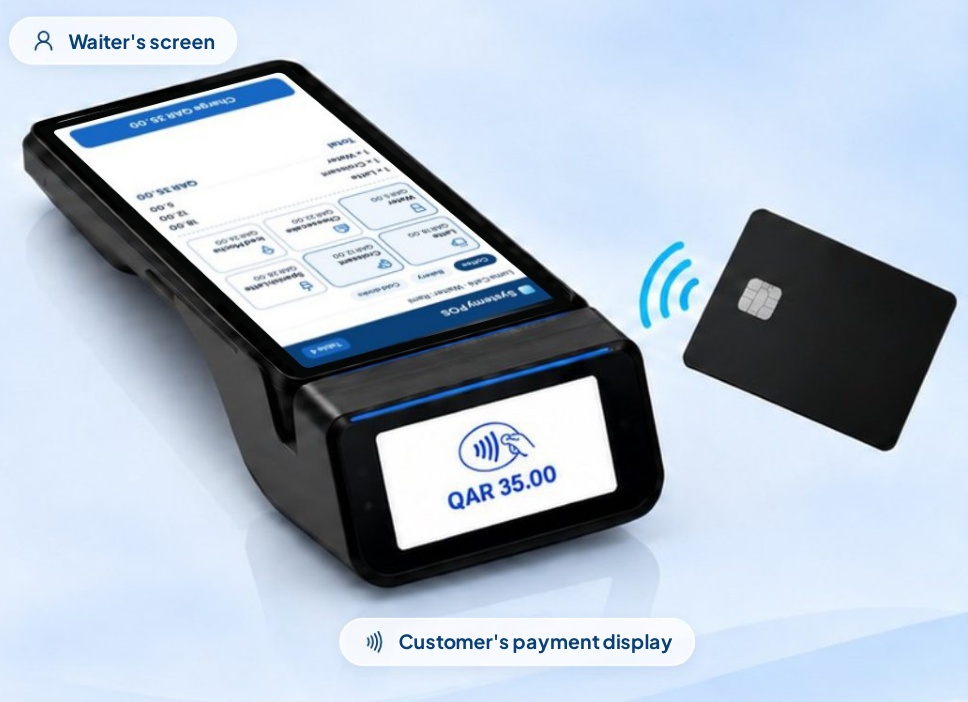
One sale, from the team to the customer
At Luma Café, the team selects a latte and a pastry on the main screen. The customer-facing display shows the amount to pay. The completed sale becomes part of the owner’s sales overview.
What each feature helps you do
Touchscreen POS
Choose products and quantities from a touchscreen interface on the devices your team uses to sell.
Cash & card payments
Record the payment method with each sale so cash and card collections can be reviewed separately.
Discounts & promotions
Apply the offers and discounts you set for your business during checkout.
Live stock updates
Keep sales connected to product quantities. Add Inventory & Stocktaking when you need warehouse operations, counts and movement history.
Barcode scanning & labels
Scan product barcodes instead of searching manually, and print labels to identify your products.
Printers, scanners & terminals
Use compatible receipt printers, barcode scanners and payment terminals. Your hardware requirements are specified in the quotation.
Returns & refunds
Record returned products and refunds against sales so the correction is reflected in your records.
Sales & cash reports
Review what was sold and how payments were collected to follow the day’s sales and cash activity.